

ODM CNC Parts Explained Simply for Designers and Engineers
2026-10-18
If you've ever stared at a CNC part drawing and wondered why it works perfectly in CAD but fails on the shop floor, you're not alone. Designers and engineers often learn ODM CNC parts the hard way—through trial, error, and a pile of scrapped prototypes. BOYIKUN takes a different approach: no jargon, no fluff, just the core ideas that actually matter for getting parts made right the first time. Let's pull back the curtain on what ODM really means for your next design.
What Designers Get Wrong About ODM CNC Parts
A lot of designers apply the same tolerance stack they'd use for a one-off prototype to every feature on an ODM CNC part. That's a quick way to double the quote. Most ODM shops will hold ±0.005 inches without blinking, but once you start calling out ±0.0005 on a non-critical bore, you're paying for extra setups, slower feeds, and more inspection time. Unless the feature actually mates with a bearing or a dowel, leave it at the supplier's default.
Tool access is another blind spot. In CAD, it's easy to drop a deep pocket with a square internal corner and call it done. On a 3-axis mill, that corner needs either a radius matching the cutter or a secondary EDM step. ODM suppliers might not flag this if they're quoting from a STEP file alone. Send a quick note asking whether their standard tool set can reach the geometry, or add the smallest corner radius you can live with before the drawing goes out.
There's also a persistent assumption that the ODM partner will interpret intent, not just geometry. If a hole is positioned to clear a cable harness but the drawing shows it 2 mm off, the shop will machine it 2 mm off and ship the parts. ODM work is usually build-to-print. If you want design-for-manufacturing feedback, you have to request it during quoting, not after the first article inspection comes back with a stack of redlines.
Tolerances and Surface Finishes That Trip Up ODM CNC Projects
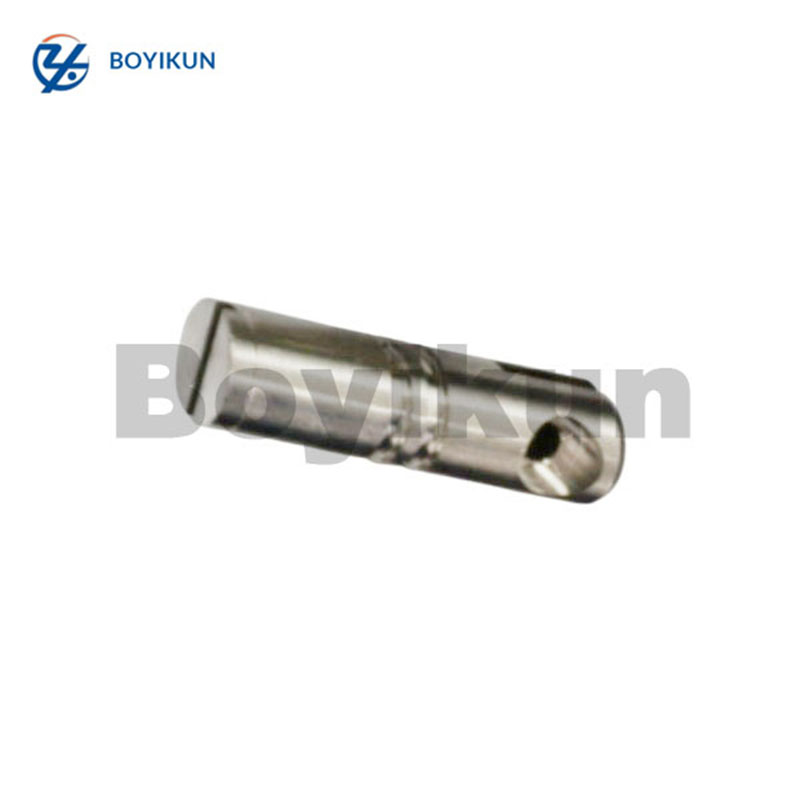
Most ODM CNC jobs don't go sideways because the part geometry is wrong—they stall out because someone slapped a ±0.01 mm tolerance on a hole that only holds a locating pin. The drawing looks precise, but the machine shop sees a part that needs three extra setups and a CMM report for a feature that could happily live at ±0.1 mm. That mismatch between what the designer thinks is "safe" and what the process actually costs is where budgets and lead times quietly die.
Surface finish callouts are the other quiet killer. A blanket Ra 0.8 µm on every face reads like a quality upgrade on paper, but on the shop floor it means hand polishing, slower feeds, or a secondary process that doubles the part price. Worse, a super-smooth finish on a non-mating surface can hide tool chatter or dimensional drift that actually matters elsewhere. The part ends up over-finished on the outside and under-inspected where it counts.
The fix isn't to loosen everything and hope for the best. It's to mark the three or four features that genuinely control fit, function, or sealing—and leave the rest with standard machining tolerances and a sensible Ra. A quick call with the ODM shop before the drawing is frozen will save more money than any post-quote negotiation, because they'll tell you straight which numbers are driving the cost and which ones they can hit without breaking a sweat.
Material Selection for ODM CNC: Beyond the Data Sheet
Most material data sheets will give you tensile strength, hardness, and thermal conductivity, but they rarely tell you how a grade behaves when a 3mm end mill is plunging into it at 12,000 RPM. 6061-T6 and 7075-T6 look fairly close on paper, yet the shop floor story is different. 7075 tends to dull cutters faster and generates more heat, which can ruin tight tolerances unless the machinist adjusts feeds and speeds aggressively. Thin-walled parts in 7075 also move more after roughing because of higher internal stresses. That kind of information is nowhere on the spec sheet, but it decides whether your parts come out straight or need rework.
Another overlooked area is lot-to-lot and supplier variation. Two batches of 6061 from different mills can anodize to slightly different shades, especially with clear or light colors. Trace elements like zinc or copper, which are almost never listed in the typical data summary, affect both machinability and surface finish. Some lots produce long stringy chips that wrap around the tool; others break cleanly. A prototype batch that looks perfect might not be repeatable in production unless you pin down the exact source, temper, and even the casting method. Small trial runs are still the only reliable way to validate a material choice before committing to thousands of units.
Then there is the integration with secondary processes. A material might machine beautifully but etch poorly in a chemical conversion coating. Or it might polish to a mirror finish only if the grain structure is fine enough, something no standard data sheet quantifies. If your design includes press-fit inserts, laser marking, or abrasive blasting, those steps change which alloy is actually optimal. The real material decision for ODM CNC is not about picking the strongest or cheapest option from a table. It is about finding the one that survives the entire process chain without surprises, and that requires talking to the people who run the machines, not just reading the brochure.
How to Read an ODM CNC Quote Without Losing Your Mind
Most ODM CNC quotes look like a wall of numbers until you realize they follow the same rough anatomy: material, quantity, machining time, finishing, and tooling. Start with the material line—if it just says “aluminum” without an alloy or temper, that’s a red flag. A6061-T6 vs 7075-T6 changes price and machinability, so a vague spec usually means someone is guessing or cutting corners.
Then check how tolerances and surface finish are listed. A quote that promises ±0.005 mm on every dimension across a large part is either lying or planning to charge you later for rework. Smart buyers look for the few truly critical features that need tight control and leave the rest at standard machining tolerances. Same with finishes: “as-machined” costs nothing extra, but anodizing, bead blasting, or passivation can double your unit cost if they’re buried in the fine print.
Finally, separate one-time costs from recurring costs. Tooling, fixtures, and setup fees often appear as a lump sum that looks scary but makes sense when spread across your total order volume. Ask the supplier to break those out per part at your expected quantities—that single calculation will tell you more about the real price than any line-item comparison.
Designing for ODM CNC: Simple Rules That Prevent Expensive Rework
Tolerances are the first place where designs quietly accumulate cost. A drawing that marks every hole, slot, and face with ±0.05 mm forces the machinist to slow down, probe more often, and often re-cut parts that would work fine at ±0.2 mm. The practical rule is to leave general dimensions at the shop’s standard tolerance and reserve tight tolerances only for features that actually mate with another component—dowel pin holes, bearing seats, sealing faces. This one habit removes a large share of avoidable rework before the first chip is cut.
Tool access and corner geometry decide whether a pocket gets machined in one setup or becomes a multi-fixture headache. Internal corners should always carry a radius that matches a standard end mill; a 3 mm radius is far easier to produce than a 1 mm radius in a deep cavity. Similarly, avoid designing pockets deeper than about three times the cutter diameter. Beyond that ratio, deflection and chip evacuation problems grow quickly, and the part often comes back with chatter marks or an out-of-spec floor.
Hole features look harmless but cause disproportionate rework when they stray from common tooling. Use standard drill sizes for clearance and pilot holes, and for tapped holes allow enough depth beyond the thread length for chips and tap clearance—at least one and a half thread diameters. Blind threaded holes that bottom out too tightly snap taps, scrap parts, and delay the whole order. Keeping hole depth and thread length separate in the model, and rounding to the nearest 0.5 mm, is a simple discipline that pays off every time.
Prototyping with ODM CNC: Speed vs. Accuracy Trade-offs
When you push a CNC mill hard to meet a tight deadline, something has to give. High feed rates and aggressive depth cuts remove material fast, but they also introduce vibration, tool deflection, and heat buildup. The result is often a part that drifts out of tolerance or carries visible chatter marks. For a quick fit-check prototype, that might be perfectly fine. For anything that has to mate with existing hardware, it becomes a problem you only discover after the machine stops.
Accuracy demands patience, and patience costs time. Slowing down the spindle, taking lighter passes, and using smaller stepovers produce cleaner edges and tighter dimensions, but they also stretch a 40-minute job into a three-hour one. ODM shops usually handle this by asking one simple question up front: what does this prototype actually need to prove? A bracket that only needs to clear a sensor can be roughed out quickly. A gear housing that has to seal against a bearing shoulder cannot.
The smarter approach is to mix both speeds within the same part. Cut the non-critical faces aggressively, then switch to conservative parameters only where tolerances are tight or surfaces are visible. This demands more CAM programming effort, but it keeps the total cycle time down without sacrificing the features that matter. If you're outsourcing, give the shop a clear callout of critical dimensions and allowable surface roughness. That single piece of information does more to balance speed and accuracy than any machine setting.
FAQ
ODM stands for Original Design Manufacturer. In CNC machining, it means the supplier doesn't just run your files—they often help refine the design, select tooling, and sometimes own part of the engineering process. For designers and engineers, it's like having a machining partner who can catch issues before metal gets cut.
OEM typically means you hand over a finished design and they manufacture exactly to spec. ODM adds a design layer: the supplier might suggest geometry changes, alternative materials, or faster setups because they own the manufacturing expertise. In practice, an ODM CNC shop often starts from your concept and returns a production-ready part plus documentation.
Sharp internal corners are the big one—end mills are round, so a pocket with a 90-degree inside corner will need extra EDM or a secondary op. Also, deep narrow slots, thin walls under 0.8 mm, and features that require flipping the part more than three times. A good ODM partner will flag these and suggest radii or split lines that keep the part functional but much cheaper to machine.
For quick functional prototypes, 6061 aluminum and acetal (POM) are easy to machine, stable, and cheap. If you need higher stiffness or temperature resistance, 7075 aluminum or stainless 303/304 are common. For small batches where weight matters, consider 7075 or even titanium for high-end brackets. The ODM supplier usually has stock of these and can advise based on your load case rather than just material data sheets.
Keep most features at ±0.1 mm or looser unless there's a mating interface. Calling ±0.02 mm on every hole forces the shop to slow down, use probing cycles, and maybe scrap more parts. A practical approach: leave general tolerances open, then add a note like 'critical bores: +0.02/-0, datum A' for the few features that actually locate or fit. That keeps cost reasonable and quality where it matters.
As-machined is fine for internal parts or prototypes—it shows tool marks but costs nothing extra. For cosmetic covers or consumer-facing parts, bead blasting plus anodizing on aluminum gives a clean matte look. If corrosion resistance or hardness is needed, Type II or Type III anodize, or electroless nickel plating on steel. Don't specify mirror polishing unless absolutely necessary; it's labor-intensive and usually not needed on functional surfaces.
Yes, that's actually the main benefit of working with an ODM shop. They can review your CAD, point out undercuts that won't clear a standard tool, suggest splitting a complex part into two simpler ones, or recommend a different thread size that's in stock. The key is to send them not just the STEP file but also a short note on how the part is used—loads, environment, mating parts. That context lets them make suggestions that matter instead of generic DFM rules.
Conclusion
Plenty of designers waste time on ODM CNC parts by calling out the same tight tolerance on every feature. That habit inflates cost and lead time while adding nothing to function—most features work fine at ±0.1 mm, and only true fits need ±0.02 mm. Surface finish is a similar trap: asking for a mirror polish on a hidden pocket just burns machine hours. Material selection goes beyond data sheet numbers; machinability, anodizing response, and internal stress often decide whether parts come out consistent. 6061-T6 handles almost anything, but a free-machining brass can leave burrs that demand extra deburring.
A useful skill is reading an ODM CNC quote without panicking. Look past the unit price to setup fees, fixture charges, and minimum order quantities, because those line items drive real cost at low volumes. Simple design rules prevent expensive rework: avoid sharp internal corners, keep wall thickness even, and use off-the-shelf thread sizes. Prototyping always trades speed against accuracy—a fast, looser-tolerance part can prove the shape, but it won't reveal interference issues that only show up at final tolerance. Decide what the prototype must answer before you accept the quote.
Contact Us
Contact Person: Xianchen Hu
Email: [email protected]
Tel/WhatsApp: 86-13248645200
Website: https://www.hexnb.com/